Got IT issues slowing you down? We provide both on-site and remote support across Australia, so help is never far away.
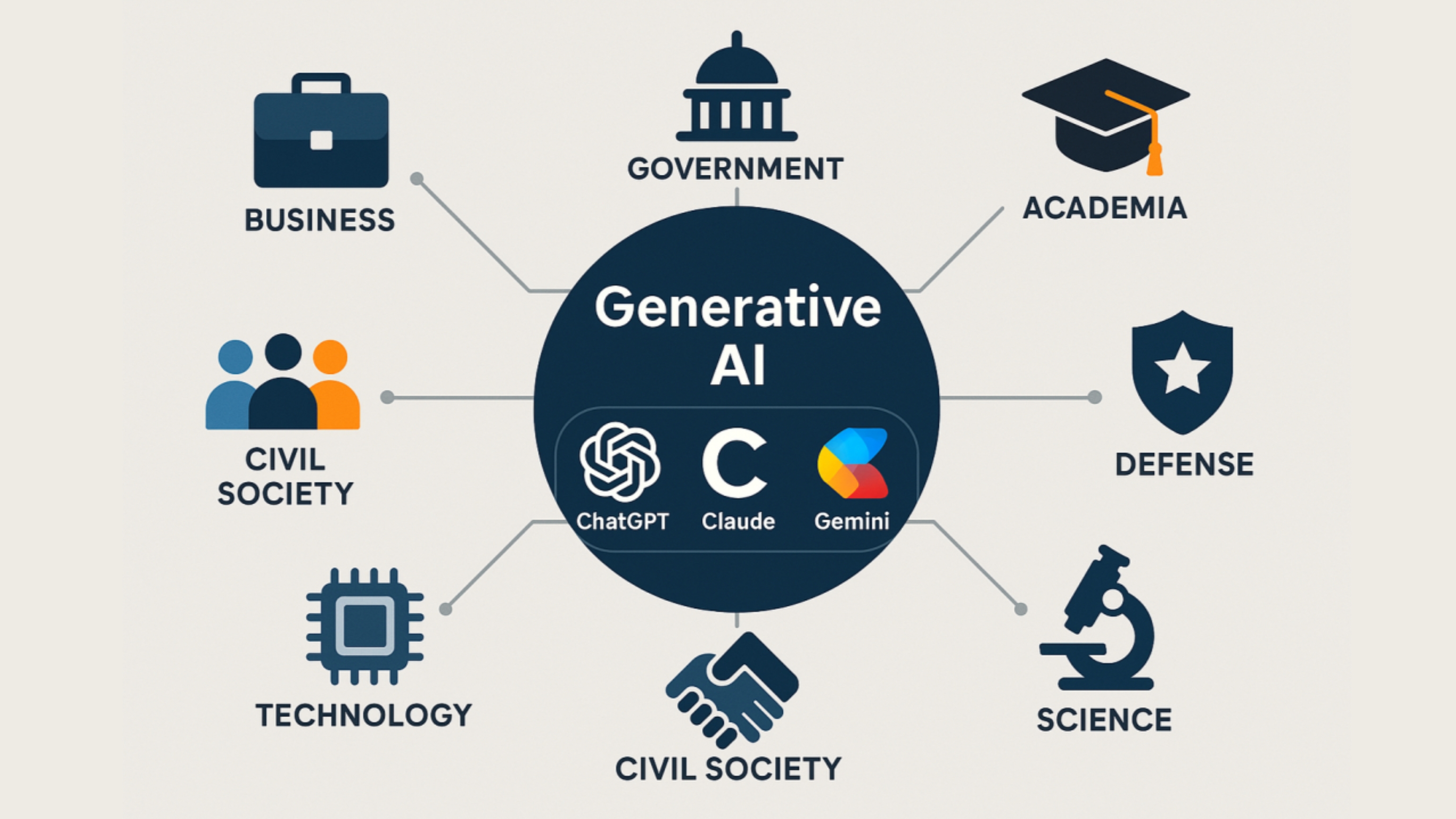
Generative AI tools like ChatGPT, DALL-E, and Claude are transforming the way businesses operate. They automate tasks, accelerate decision-making, and support teams across marketing, operations, finance, customer service, and IT. But as adoption skyrockets, so do the risks.
The uncomfortable truth is this:
Most companies use AI without any governance at all.
A recent KPMG study revealed that only 5% of U.S. executives have a mature AI governance program today. Another 49% plan to build one — “eventually.” That leaves nearly half of all organizations using AI without proper oversight, controls, or data safeguards.
This is the gap where businesses get exposed to:
• IP loss
• Compliance failures
• Data leakage
• Incorrect outputs
• Reputational damage
• Security vulnerabilities
This guide breaks down the essential rules, frameworks, challenges, and real-world solutions every business needs to implement to secure AI tools responsibly — and strategically.
Generative AI is no longer experimental. It’s now embedded in daily operations, offering capabilities that were impossible just a few years ago.
Businesses use tools like ChatGPT to:
• Draft content and reports
• Summarize documents instantly
• Assist customer support workflows
• Generate ideas and business insights
• Automate internal tasks
• Enhance productivity across teams
The National Institute of Standards and Technology (NIST) identifies AI as a key driver for:
• Better decision-making
• Workflow optimization
• Innovation
• Efficiency across industries
But these advantages only materialize when AI is used safely — and intentionally.
Governance is not about slowing down innovation. It’s about protecting it — and ensuring AI accelerates your business rather than creating hidden risks.
Below are the five core governance rules every business must implement.
AI should never be used without defined limits.
Without boundaries, employees may:
• Input confidential information
• Use AI for tasks it shouldn’t handle
• Produce content that puts the business at risk
• Apply AI in regulated processes without approval
Your AI Use Policy must define:
• Allowed use cases
• Prohibited use cases
• Approved tools and versions
• Ownership of AI-generated outputs
• Data that must never be entered
AI policies must be updated regularly as regulations evolve.
Generative AI can sound confident while being factually wrong.
Human review is non-negotiable.
Implement a Human-in-the-Loop (HITL) rule:
• No AI-generated content is to be published without human review
• Internal outputs affecting decisions must be verified
• AI cannot replace human judgment in compliance or legal contexts
The U.S. Copyright Office also states:
Purely AI-generated content without human modification cannot be copyrighted.
Meaning:
If your company wants to own its work, humans must be involved.
You cannot govern what you cannot track.
AI logs should include:
• Prompts used
• User identity
• Timestamp
• Model version
• Output classification
Benefits of logging:
• Creates audit trails for compliance
• Identifies misuse early
• Helps refine training and best practices
• Provides evidence during legal disputes
Without logs, visibility is lost — and risk increases.
This is the most commonly broken rule.
When employees type sensitive data into public AI tools, they may be sharing:
• Client information
• Financial records
• Internal documents
• Contracts
• Source code
• Private credentials
Your policy must explicitly ban entering:
• Confidential or personal data
• Client-identifying information
• Anything protected by NDAs
• Proprietary IP
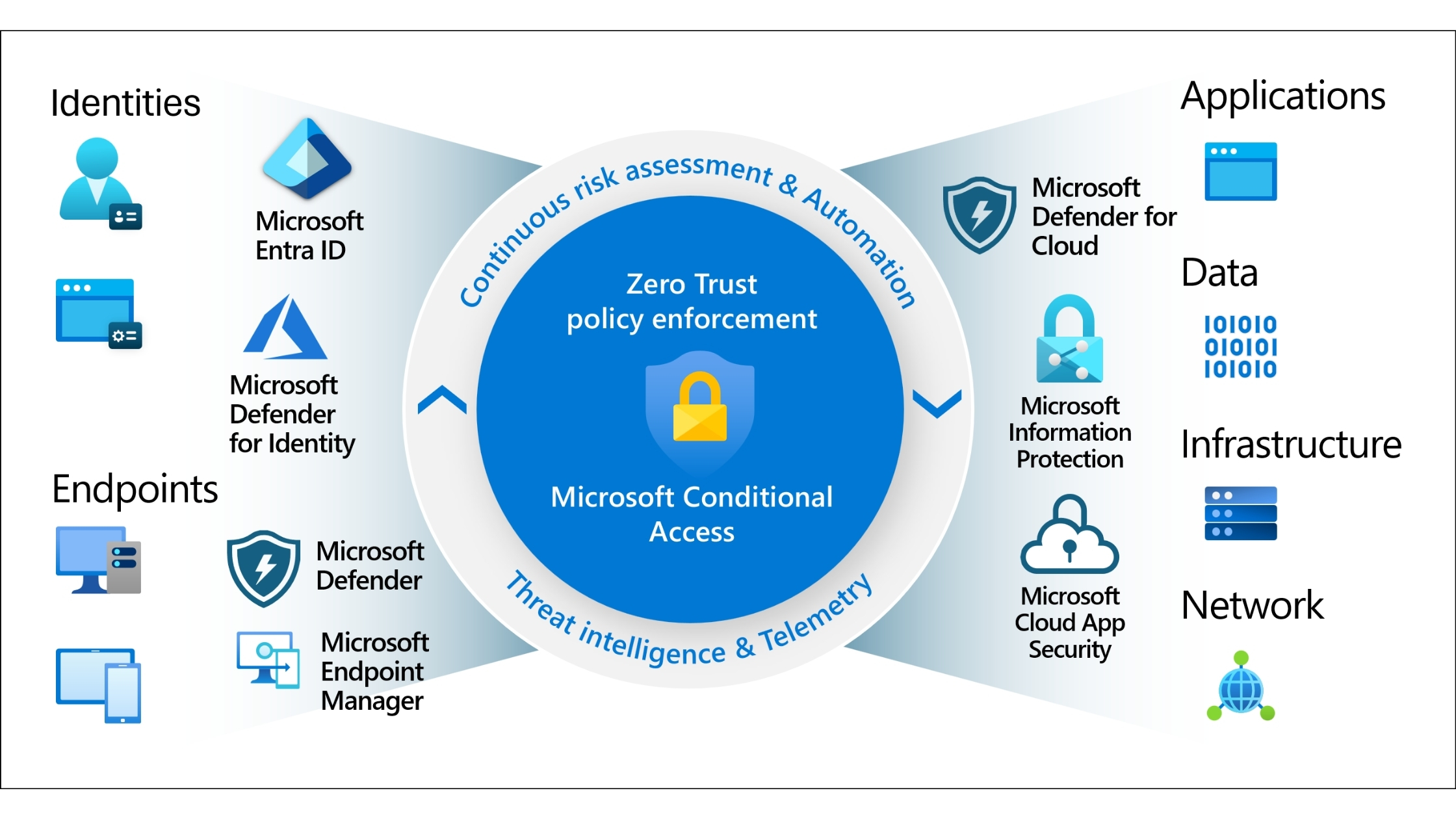
Tools like Microsoft Copilot with commercial data protection provide a safer alternative for internal use.
AI is evolving too fast for static policies.
Your governance framework must include:
• Quarterly reviews
• Updates aligned with new regulations
• Continuous training for employees
• Ongoing evaluation of AI’s business impact
• Regular audits of AI tool performance and accuracy
AI governance is a living system — not a one-time project.

Businesses adopting generative AI run into predictable and avoidable problems. Here are the most common ones, along with strategic solutions.
Employees experiment with multiple AI tools without approval.
Impact:
• Data leakage
• Compliance issues
• Inconsistent outputs
Solution:
• Create an approved tools list
• Block unapproved tools at network level
• Enforce login-based usage
BIT365 Solution: We help businesses deploy secure, controlled AI environments with audit trails, user permissions, and governance built in from day one.
Teams lack guidance on what’s allowed and what’s not.
Impact:
• Misuse becomes inevitable
• Teams operate differently
• Legal exposure increases
BIT365 Solution: We build custom AI Use Policies aligned to your industry, risk profile, compliance requirements, and operational needs.
A top problem — and often accidental.
Impact:
• IP loss
• Breach of NDAs
• Legal violations
Solution:
• Data-classification training
• Safe alternatives (e.g., Copilot with enterprise controls)
• Blocking public models when necessary
BIT365 Solution: Our team helps implement enterprise-grade AI tools with commercial data protection so your internal information never leaves your environment.
AI hallucinations are common.
Impact:
• Incorrect information
• Misleading insights
• Increased rework
Solution:
• Mandatory human review
• Accuracy scoring
• Approved prompt templates
BIT365 Solution: We develop role-based prompt libraries and verification workflows that reduce errors and improve output quality across departments.
Without transparency, governance fails.
Impact:
• No visibility
• No accountability
• No audit trail
BIT365 Solution: BIT365 deploys tools with built-in logging, reporting dashboards, and usage monitoring to ensure full oversight.
• Generative AI can unlock major productivity gains — but only with governance.
• Clear boundaries and safe-use rules must be established before adoption.
• Human oversight is essential for accuracy, compliance, and copyright ownership.
• Data protection must be the top priority in all AI interactions.
• AI governance must evolve continuously with technology and regulation.
• BIT365 provides secure frameworks, policies, and infrastructure to help businesses adopt AI safely and effectively.
• AI in Everyday Business – Practical Uses for SMBs
• Navigating Cloud Service Providers: Making the Right Choice for Your Business
• Three Essential Cybersecurity Solutions for Small Businesses: Important Considerations
Whether you're developing an AI policy for the first time or upgrading your governance approach, BIT365 can help.
We support businesses with secure setup, governance, training, and enterprise-grade AI tools that protect your data and streamline your workflows.
Your team shouldn’t have to guess how to use AI responsibly — we’ll build the rules, structure, and protection for you.
👉 Book a Consultation:
https://outlook.office.com/book/GorgiSerovskiBusinessIT365@blacktownit.com.au
Got IT issues slowing you down? We provide both on-site and remote support across Australia, so help is never far away.
BIT365 offers a full range of managed IT services, including cybersecurity, cloud solutions, Microsoft 365 support, data backup, and on-site or remote tech support for businesses across Australia.
No. While we have a strong presence in Sydney, BIT365 supports businesses nationwide — delivering reliable IT solutions both remotely and on-site.
We pride ourselves on fast response times. With remote access tools and on-site technicians, BIT365 can often resolve issues the same day, keeping your business running smoothly.
BIT365 combines local expertise with enterprise-grade solutions. We’re proactive, not just reactive — preventing issues before they impact your business. Plus, our friendly team explains IT in plain English, so you always know what’s happening.

%20Best%20Practices%20(1).jpg)
.jpg)
.jpg)

.jpg)
.jpg)

.jpg)
.jpg)





.jpg)



%20(3).jpg)





.jpg)













.jpg)